Automatically Locking a Workstation
Applies to Sub-Control 16.11
In the Windows search bar with the magnifying glass icon, type local group to open the Local Group Policy Editor.
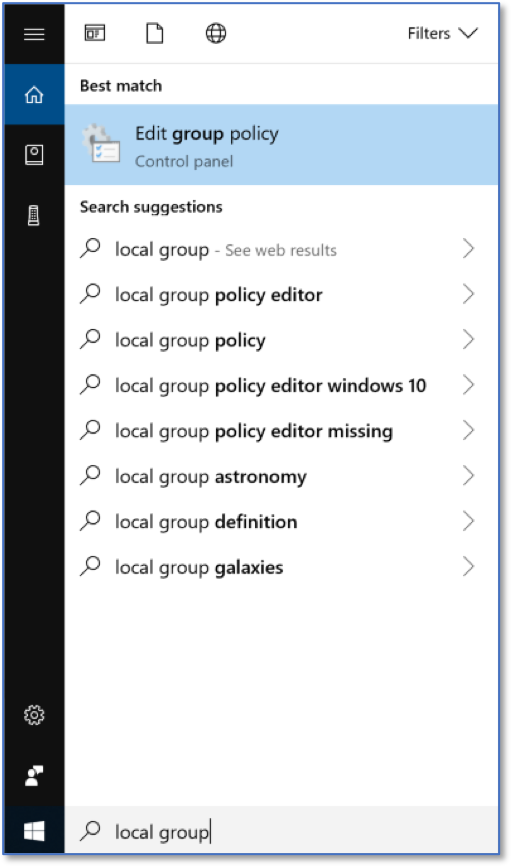
Searching for LGPE
The Local Group Policy Editor is shown below.

Local Group Policy Editor Home Screen
Select Computer Configurations and then Windows Settings.
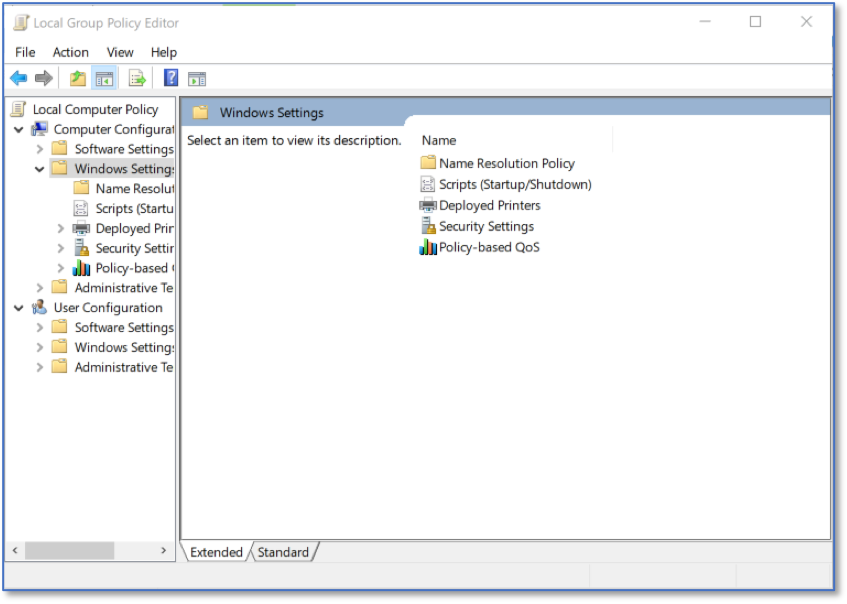
LGPE Windows Settings
Select Security Settings and then Local Policies.
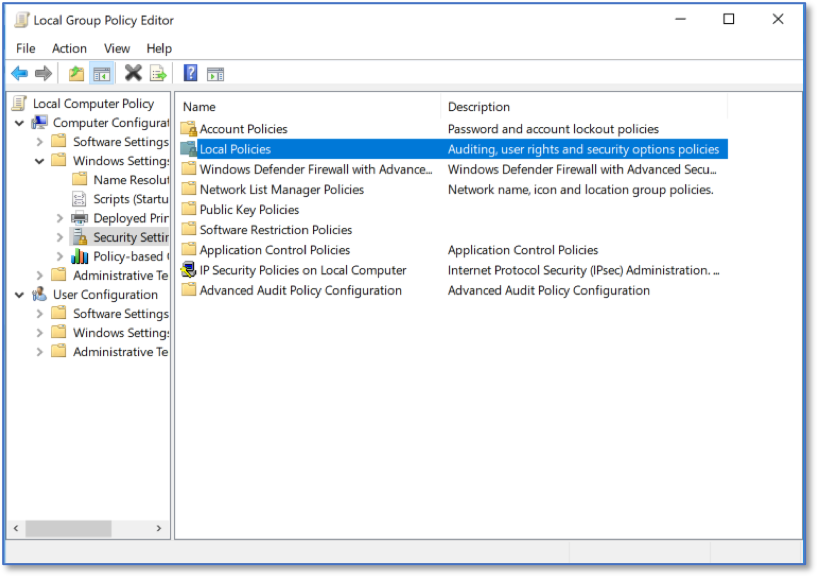
LGPE Local Policies
Select Security Options and then double click Interactive logon: Machine interactivity limit.
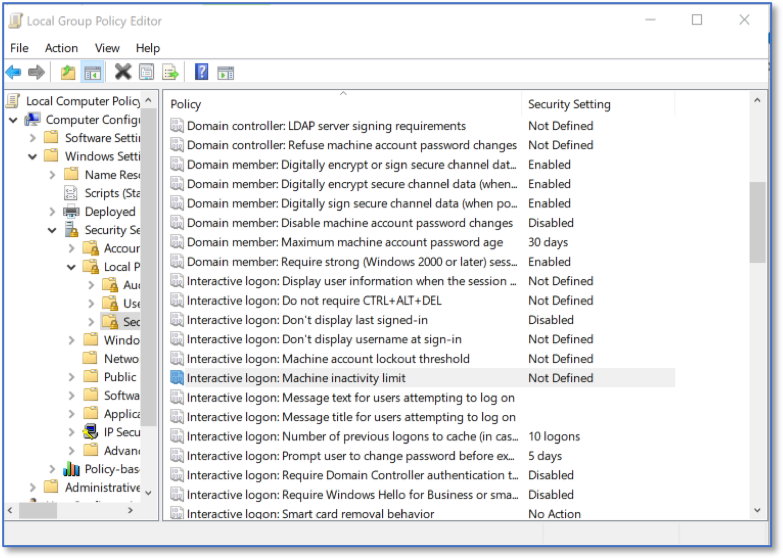
Selecting Interactive Logon Settings
The CIS Windows 10 Benchmark recommends 900 seconds or fewer. Choosing 600 seconds is 10 minutes.
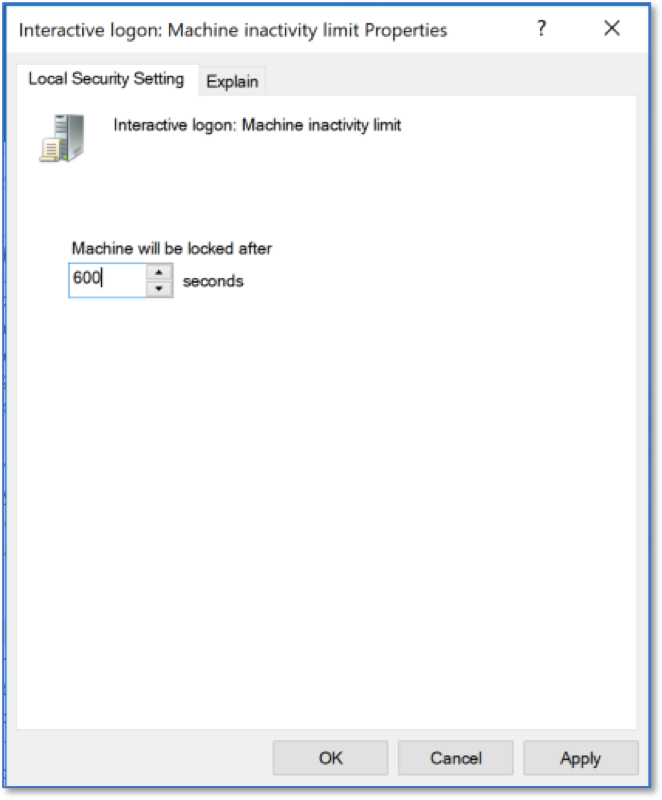
Interactive Logon Settings