Configuring Automated Operating System Patch Management Tools via LGPE
Applies to Sub-Control 3.4
Note
Local Group Policy Editor can be used to configure device settings for patching Windows 10 Pro.
In the Windows search bar with the magnifying glass icon, type local group to open the Local Group Policy Editor. This is shown below:
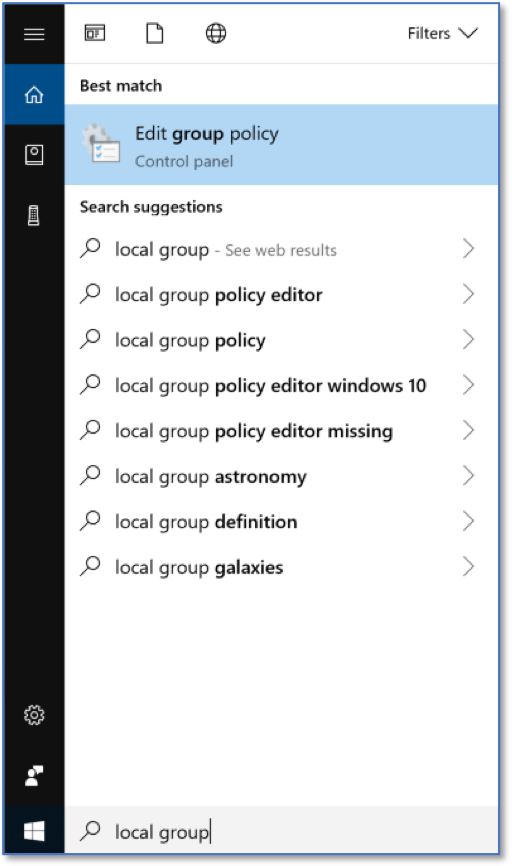
Searching for Local Group Policy Editor
The Local Group Policy Editor is show below.

Local Group Policy Editor Home Screen
Under Computer Configurations, select Administrative Templates, and then Windows Components.

LGPE Windows Components
Select Windows Update and double click Configure Automatic Updates.

LGPE Windows Update Settings
Ensure that Enabled is selected, and Configure automatic updating is set to: 4 – Auto download and schedule the install. Select OK.
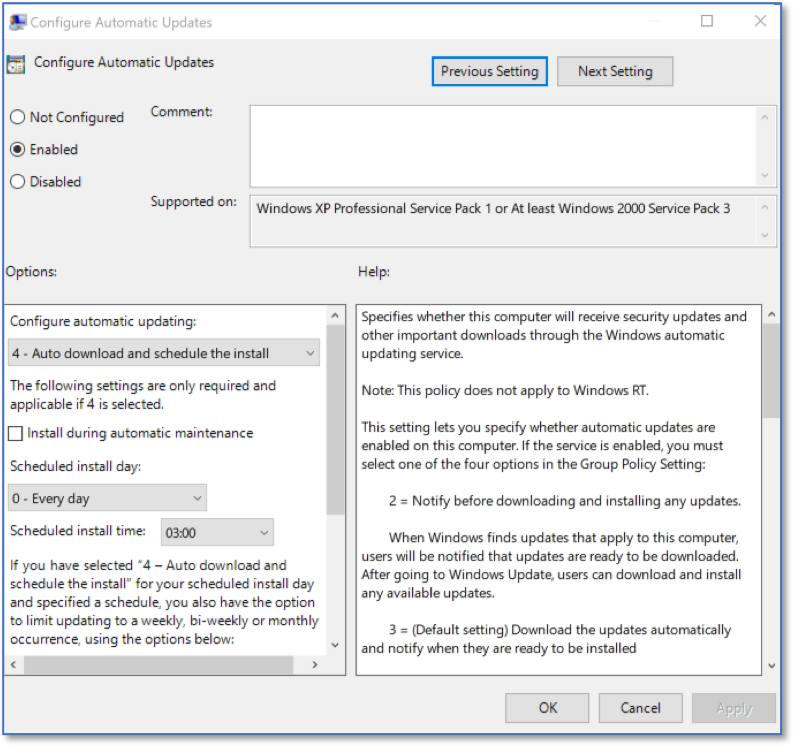
Autodownload Home Screen