Enabling Windows Defender Firewall
Applies to Sub-Control 9.4
Search for Windows Defender in the search bar.

Searching for Windows Defender
Select Firewall & network protection.

Windows Defender Security Center Home Screen
Ensure that the Domain network, Private network, and Public network firewalls are set to on.
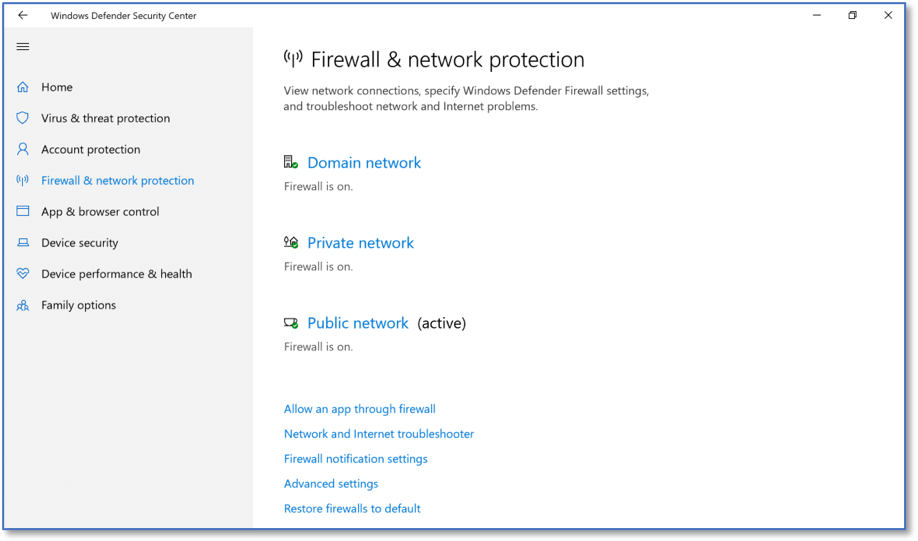
Firewall and Network Protection Settings
If one of the three firewalls are not set to on, select that firewall to enable it.
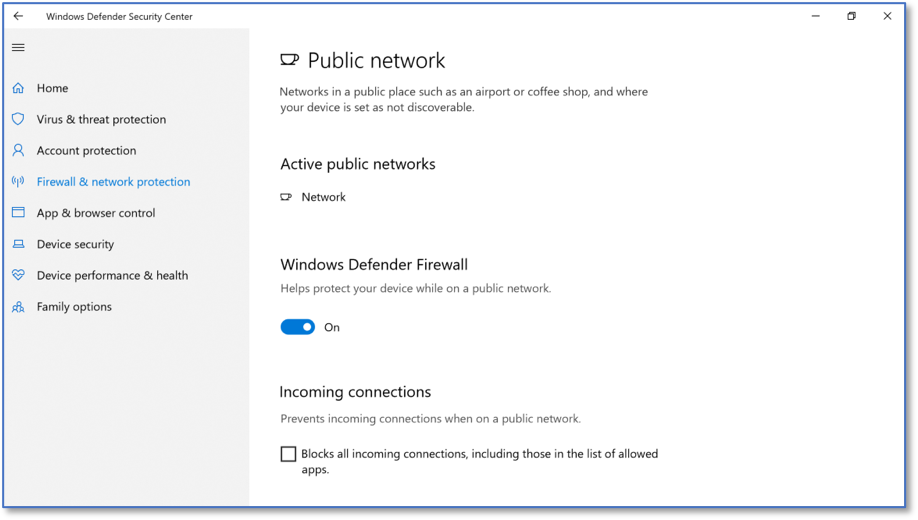
Windows Firewall Public Network Settings
TODO Verify private network