Changing the Default Password
Applies to Sub-Control 4.2
Note
The best method of achieving this Sub-Control is via local group policy in the next section.
Perform a search for Settings.

Searching for Windows Settings
Select Accounts.
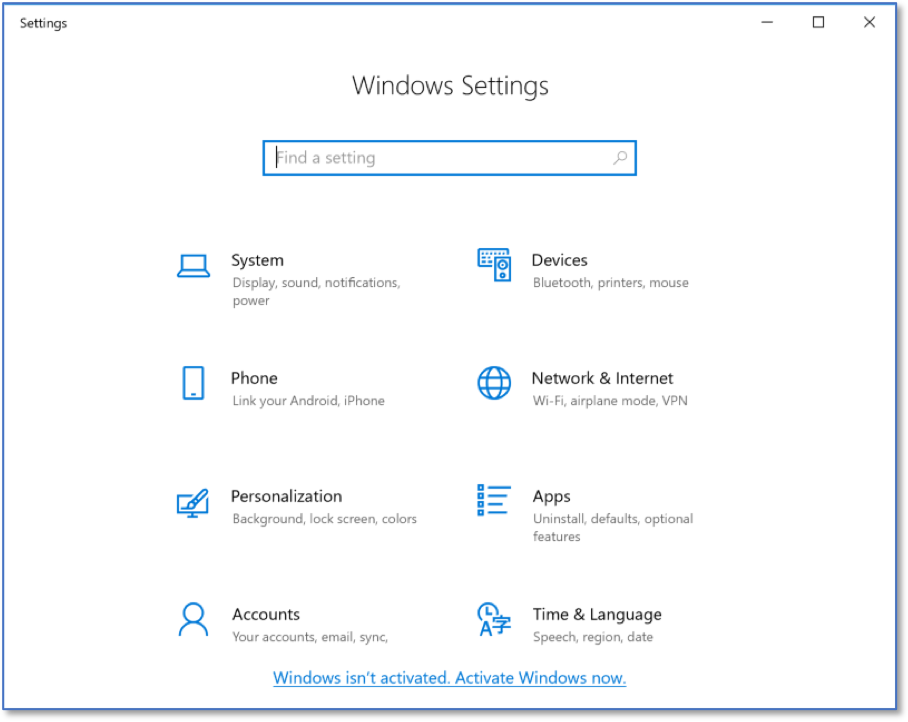
Windows Settings Home Screen
Select Sign-in options.
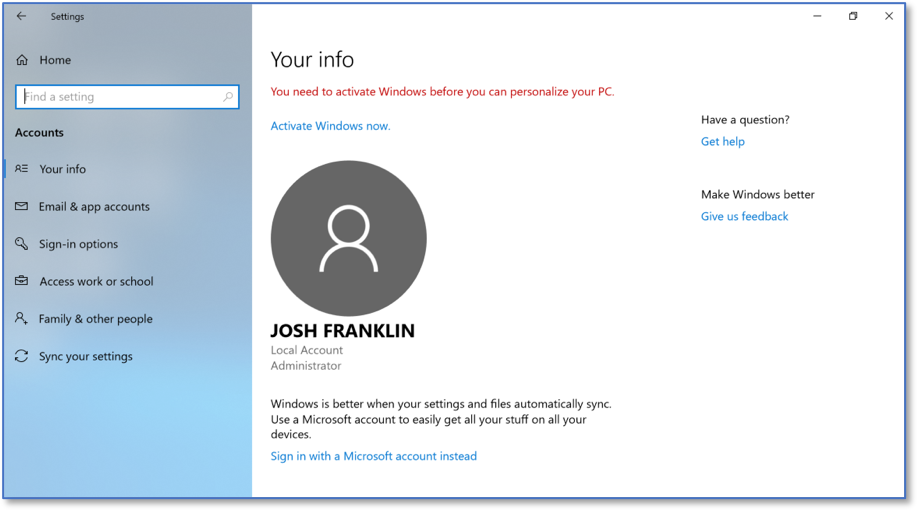
Windows Accounts Home Screen
Select Change your account password.
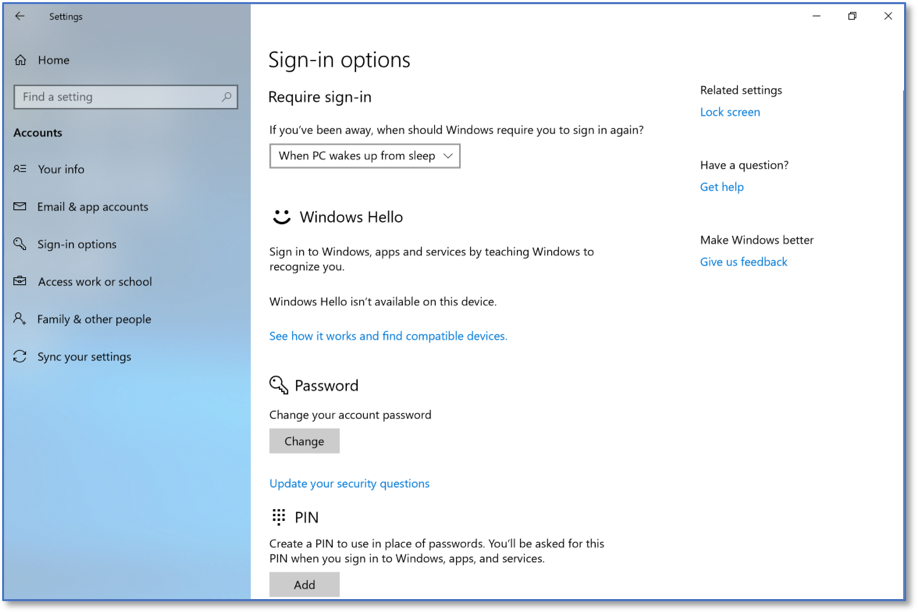
Sign-in Options Home Screen
Type the new password into the password field.
Note
Ensure the password is not a commonly used one.
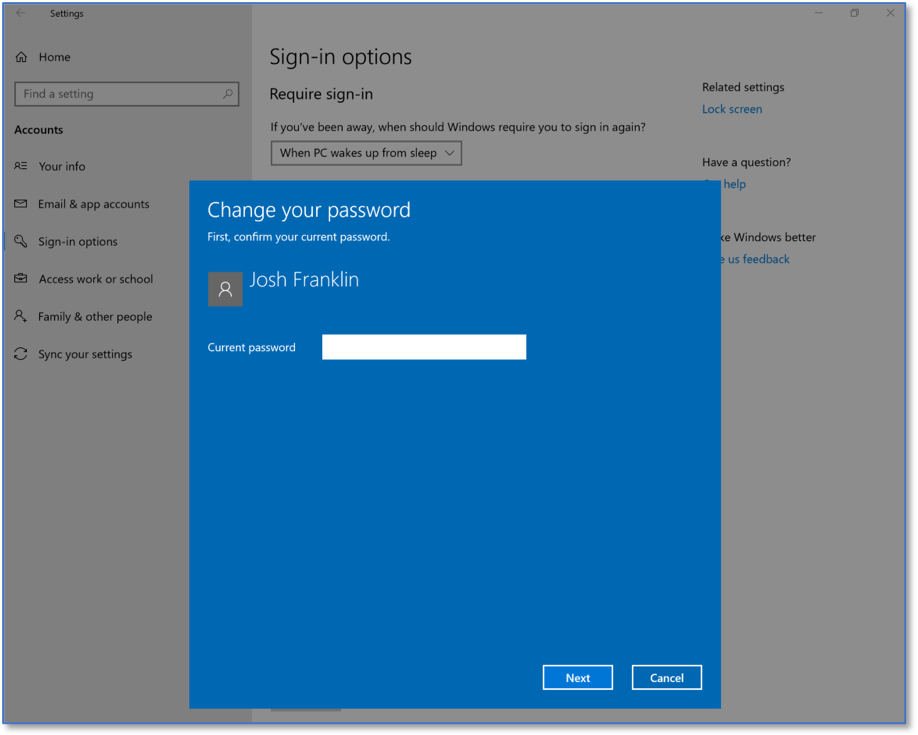
Changing a Windows Password