Scanning Removable Devices via LGPE
Applies to Sub-Control 8.4
In the Windows search bar with the magnifying glass icon, type local group to open the Local Group Policy Editor.
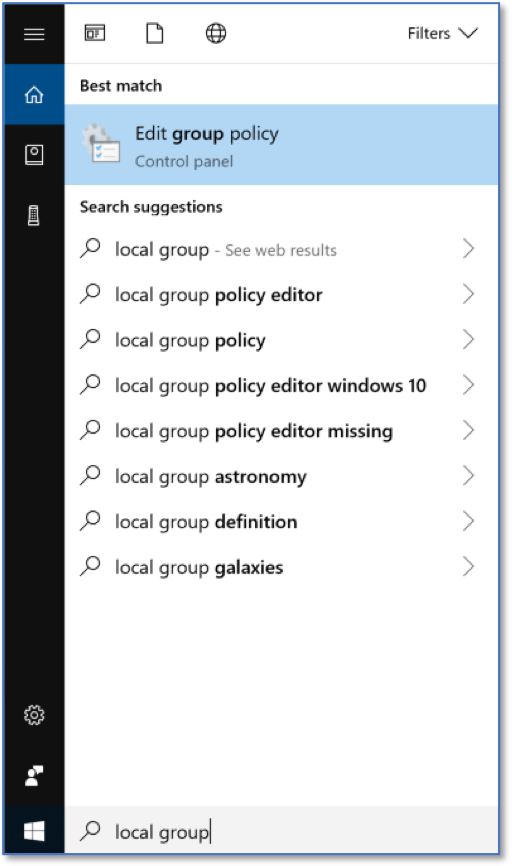
Searching for Local Group Policy Editor
The Local Group Policy Editor is show below.
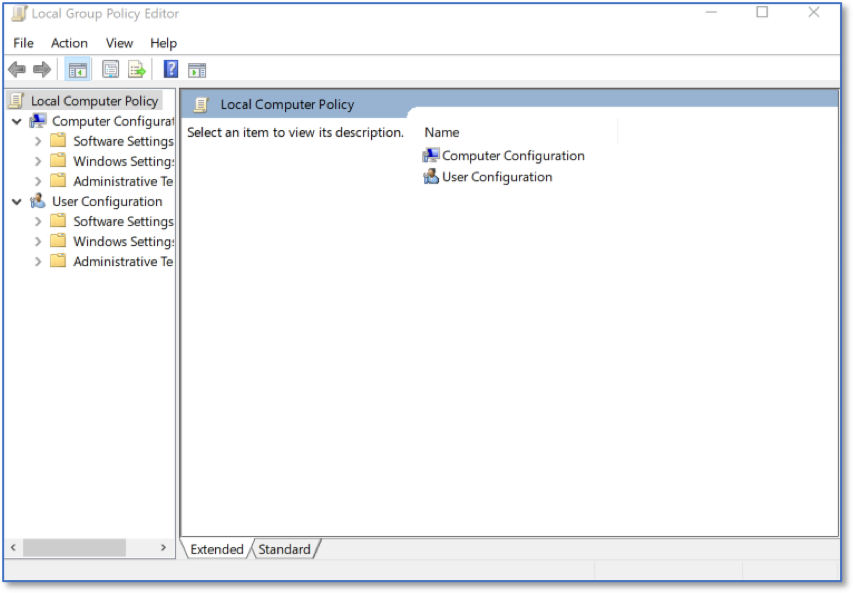
LGPE Home Screen
Select Computer Configuration and expand Administrative Templates.
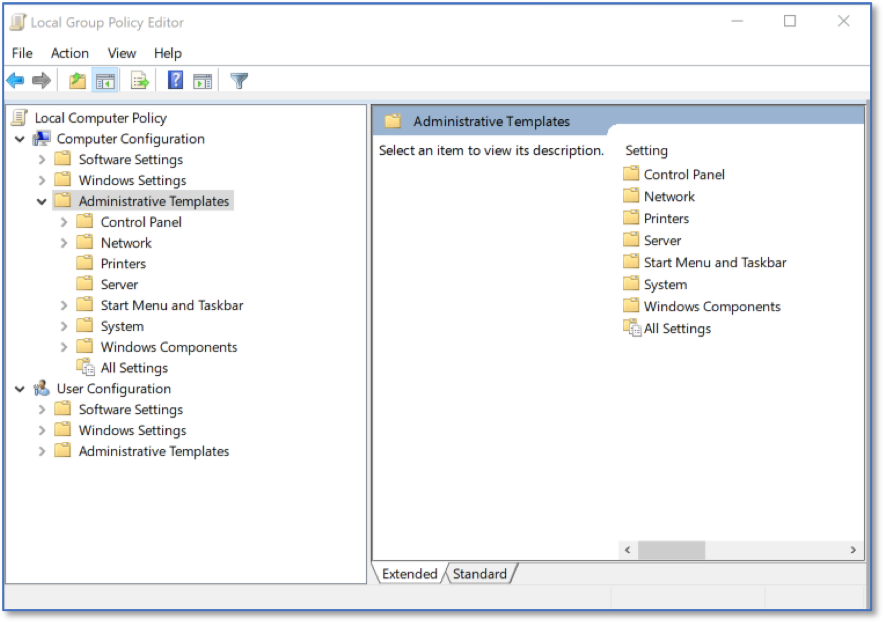
LGPE Administrative Templates
Expand Windows Components and then Windows Defender Antivirus.
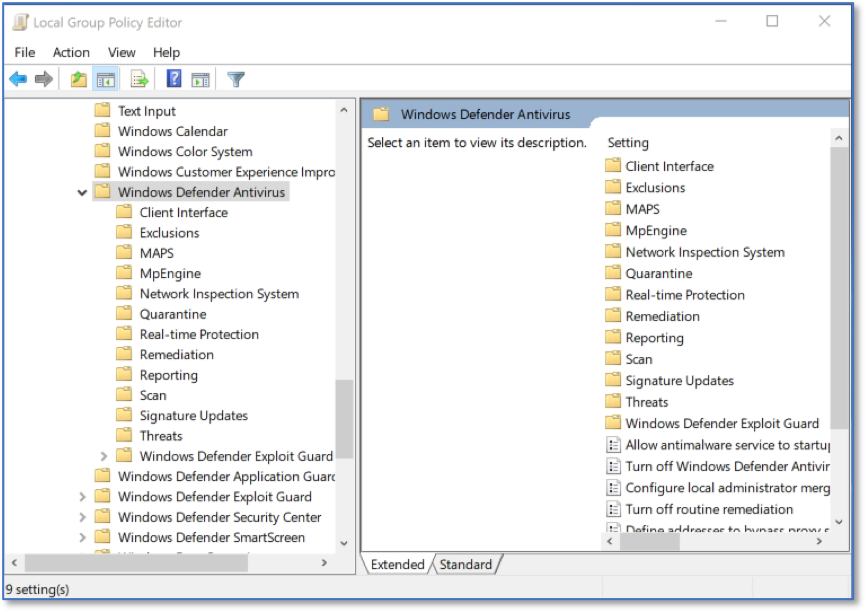
LGPE Windows Defender Antivirus
Select Scan and double click Scan removable drives.
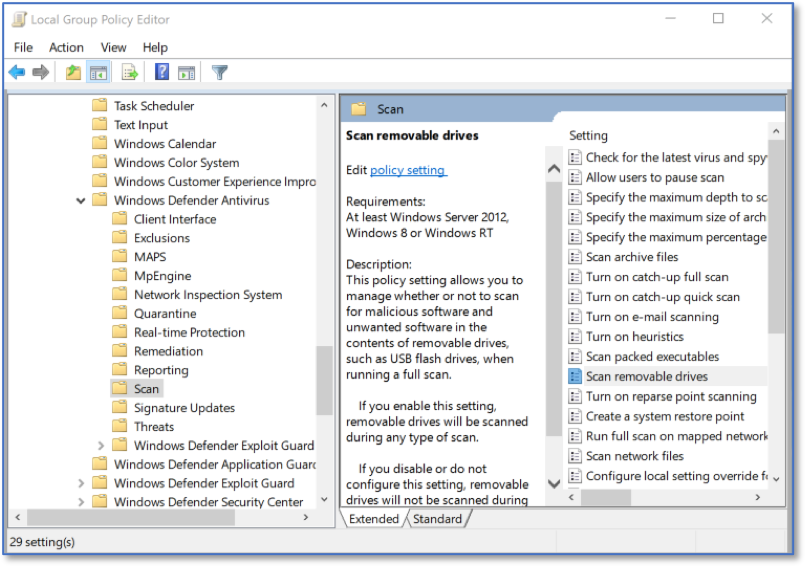
LGPE Windows Defender Antivirus Scan
Ensure this setting is set to Enabled.
Note
Note that this will not automatically scan any inserted device. Instead, if a Windows Defender Antivirus scan is run while a removable drive is inserted, that drive will also be within scope of the scan.
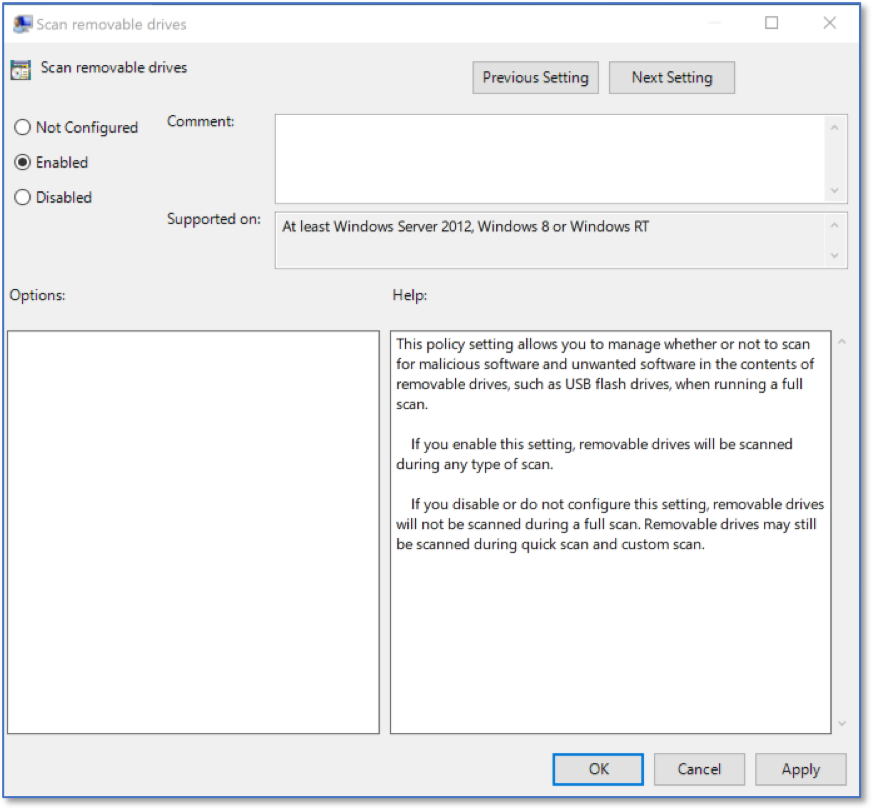
Windows Antivirus Scan Settings
Ensure that Turn off real-time protection is Disabled. This prevents the application from being disabled.
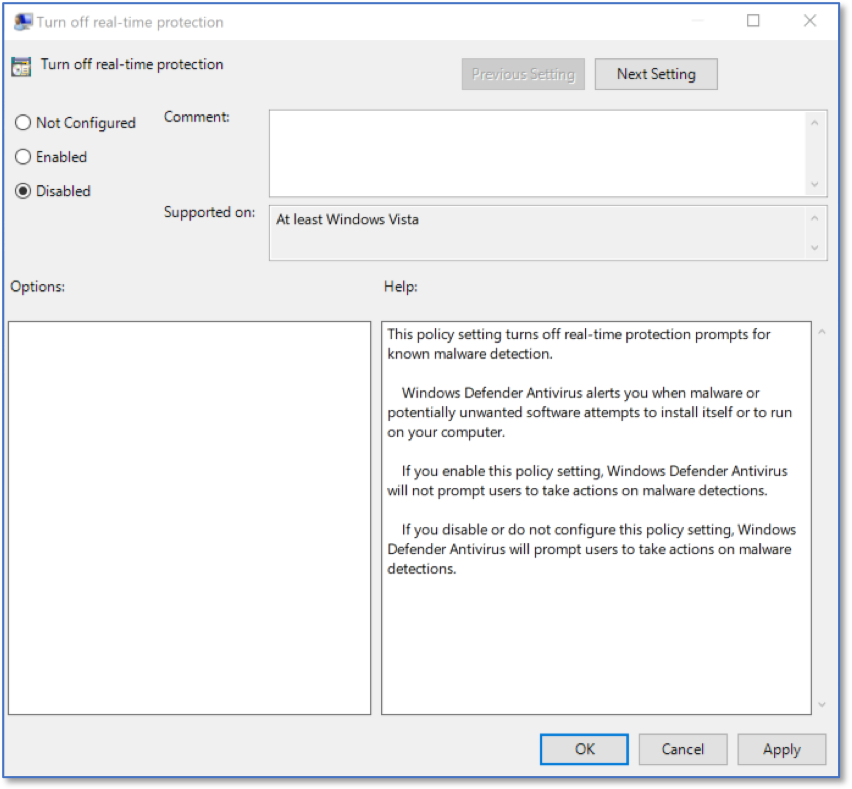
Real-time Protection Settings